Tag: Technology

  • Product Bias: What You Buy May Not Be For You

    Product Bias: What You Buy May Not Be For You

    Here’s something to think about the next time you make a purchase.

    For me, it started as an innocent observation. I was looking into buying a planner when I noticed that the full, page-sized planners were commonly in pink shades or floral patterns. What statement are the makers of these planners trying to make?

    I started to do some digging and found examples of product bias. Product bias results from items made for a specific group of people, with little to no research done to ensure that the product is meant for a larger group of users. For example, products made for right-handed people, or equipment designed for men, but used by any person. 

    The following are just some examples of product bias.

    Right-Handed Products for Left-Handed People

    Products designed for right-handed people can cause inconveniences for left-handed people. For example:

    • Almost all doors are designed to open using the right hand and hand rails are usually on the right side.
    • The measurements on a measuring cup will need to be read upside down or backward if you are left-handed. 
    • The buttons on watches are on an inconvenient side of the watch.
    • People at your dinner table are likely right-handed so all the tableware is set up for right-handed diners. Left-handed diners need to remember which side their cutlery and glasses are on.
    • Jobs are likely to supply you with a right-handed mouse. 

    Biased Design

    Everyday things are designed in a biased manner, from seatbelts to voice assistants.

    • Period tracking apps are pink. Just search “period tracking apps” and you will see pink logos and pink designs.
    • Seatbelts (until recently) were tested using crash test dummies with body shapes similar to the average male body, so female drivers are more likely to be killed or injured in car crashes.
    • Voice assistants such as Google Home, Amazon’s Alexa, Microsoft’s Cortana & Apple’s Siri have female names and voices. These products are described as “helpful,” “supportive,” and “humble” by the company.

    “Shrink It and Pink It”

    The saying “shrink it and pink it” refers to products that were originally designed for men and later made in a smaller size for women. In other words, those products were not originally designed for women (or for use by all adults).

    • Running shoes were designed to fit the typical shape of a man’s foot and later made in a smaller size to fit a woman’s foot.
    • Personal protective equipment (PPE) that fits women properly is hard to find. In healthcare, women deal with gowns that are too long. They wear masks that are too big to fit their face properly. 
    • “Women represent over half of the global population and in the US, they influence nearly 90% of all purchasing decisions. Yet only 19% of practicing industrial designers, also known as product designers, are women.”

    Racial Face Misidentification 

    Products designed for light-skinned faces encountered unexpected issues when the products were used with a wider range of human subjects. Some specific stories:

    • Mr. Alciné, a software engineer, used an A.I. in a Google online photo service six years ago to organize his photos into topics such as “birthday.” He noticed a folder labeled “gorillas.” Curious, he opened the folder and “found more than 80 photos he had taken nearly a year earlier of a friend during a concert in nearby Prospect Park. That friend was Black.” The photos had been mistagged. 
    • An Amazon facial recognition technology service had difficulty identifying the sex of female and darker-skinned faces. “According to the study, the service mistook women for men 19 percent of the time and misidentified darker-skinned women for men 31 percent of the time. For lighter-skinned males, the error rate was zero.”

    Key Takeaways

    Biases exist in the design of products designed specifically for one group of people, but sold to a wider group. For example, products designed for men and then marketed for use by all people. 

    What is your experience with products? Have you bought a product that you felt was biased?
  • Artificial Intelligence (AI): Helpful or Harmful to Jobs?

    Artificial Intelligence (AI): Helpful or Harmful to Jobs?

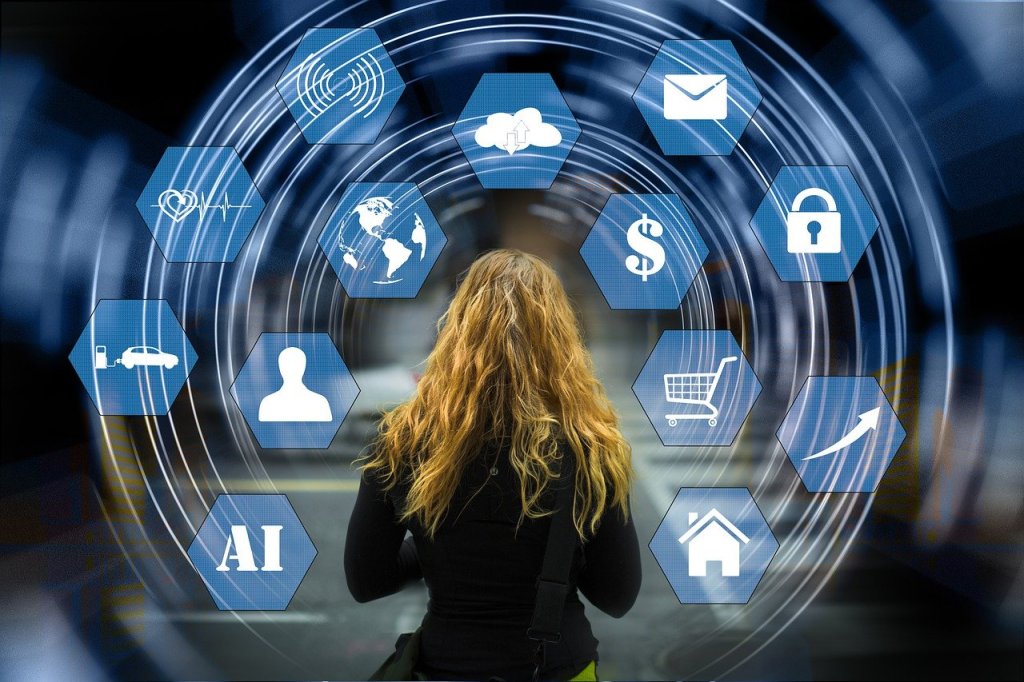
    Is artificial intelligence (AI) harmful or helpful to our jobs? Will we lose our jobs to AI? Many already have faced the answers to those questions. People have lost work to AI and certain jobs will disappear completely. On the upside, AI has enhanced our work by eliminating our repetitive tasks. AI can also reduce the time it takes to complete tasks. Most importantly, AI will create new jobs. Let’s dive into this topic further.

    Will AI replace jobs?

    At first, artificial intelligence (AI) was helping us to do jobs better and faster by completing repetitive tasks. Having someone (or something) complete all the boring tasks is a good time saver. But AI will continue to improve to the point of replacing jobs and people. Here are some examples. 

    In customer service, bots answer frequently asked questions (FAQs) from customers, so staff are free to answer infrequent or more complex questions. Robot waiters can take dishes and drinks to customer’s tables. AI can use existing examples of writing and art to create stories and artwork similar to an existing style.

    Can AI help us to do our jobs better?

    AI is already helping us to do our jobs better and faster. It can help us to find errors in our writing. It can also learn from our writing style and remind us to use a spelling or word specific to our company or industry.

    It can act as a personal assistant to schedule meetings with clients and coworkers. It can generate automatic email responses so that customers will receive generated, immediate responses to their messages. Chatbots can handle frequently asked questions and common issues, handle inquiries and decide when a more complex situation needs to be passed to a human support agent.

    How can we foolproof ourselves from losing jobs to AI?

    AI will replace jobs in the future. It has already replaced jobs. If AI hasn’t replaced your job, chances are, your job will be affected by AI in some way, such as automating part of your job or changing the way you do your job.

    Jobs that AI won’t replace are those that require human interaction. For example, although AI can be used to teach in the classroom, it cannot replace the trust and close relationships that teachers have with their students. Teachers can intervene if there are arguments between students or help a student who is having personal issues at home. 

    AI cannot listen to a person’s problems and help a person through a mental health crisis. Similarly, it does not have the sensitivity to deal with a sudden job layoff, or answer a question about health benefit coverage that will have a severe impact on a person’s family.

    Why is AI beneficial for society?

    AI helps us to complete repetitive tasks more efficiently, freeing us to do other things. Instead of marking the same test a hundred times, AI can score all the tests in a matter of minutes, saving a human one to several hours of boring work.

    AI can also help people to improve their skills. For example, it can suggest ways for bad writers to improve their writing by identifying their spelling mistakes and suggesting better ways to write their sentences. This is not the same as replacing professional writers. People who need to write reports or emails at work aren’t going to invest in a professional writer to write an internal report. But they will appreciate having something to check their grammar before the report goes to their supervisor.

    Similarly, people will value a robot vacuum cleaner, pool cleaner, or pet food dispenser to help with chores around the house. One day, a robot may even be able to do all the basic housecleaning that people dislike. 

    However, technology cannot replace all tasks, especially those that require special skills. People who can afford it will want to hire writers to produce a piece of writing exactly to their specifications. People with expensive heirlooms or valuables will want the human touch to do the job right when they need a thorough cleaning of their homes.

    Key Takeaways

    As with any advancement in technology, jobs will disappear and jobs will be created. Jobs that require a human element will be the hardest for AI to replace. But AI will also provide us with many benefits, such as replacing boring and time-consuming tasks. Jobs will also be created that are related to the creation and maintenance of AI. 

    What do you think? How has AI affected your work?

  • Your life without a computer: what does it look like?

    Your life without a computer: what does it look like?

    Dailyprompt 2079

    The daily word prompt on WordPress caught my attention. I realized that without a computer, my current life would cease to exist.

    I work from home. Without a computer, I wouldn’t have a job. Without any income, I wouldn’t be able to pay my bills or have money for food. I would lose my connection to my coworkers because, without virtual meetings, I wouldn’t see them or communicate with them in any way. (Although I could get on a plane to meet them face-to-face.)

    Life would be very quiet. No more messages via messaging apps. No more emails to reply to. No more rapid communication throughout the day on social media. I wouldn’t be able to share files instantly. 

    A project would no longer be completed in a week or three weeks. It would take several months because files must be packaged in an envelope and sent by post. A document that could be fixed in minutes would need to be retyped from scratch using a typewriter. (Does anyone type letters on a typewriter anymore? Does anyone own a typewriter?)

    Without a computer, I would need a new filing system. I would need Post-it notes and a paper calendar to mark all my appointments and important reminders. Files would need to be printed to be viewed, occupying binders upon binders on a bookshelf, instead of a small USB stick or in the cloud.

    It is amazing how instantaneous and compact life has become because of a computer. I no longer need piles of paper or a bookshelf. Because of my computer, I can communicate instantly with people on the other side of the country or the world. My life without a computer: let’s hope that never happens.

    How different would your life be if you didn’t have a computer?

  • How Technology Has Changed How We Communicate

    How Technology Has Changed How We Communicate

    Repost

    How often have you sent an urgent text and impatiently waited for a reply? Texting etiquette says we should respond within a few hours at most – assuming we didn’t (gasp) forget our phone at home.

    Technology has changed the way we communicate, from the speed of communication to the quality of communication. Gone are the days when recent news became old because it took time to send a letter. We often assume the person we want to communicate with has an email account, mobile, or both.

    Technology has impacted how we communicate with family, friends, and coworkers. Let’s look at some examples of how much we’ve come to rely on tech to communicate with others.

    Messages, Email, and Apps

    How often do you say, “I’ll text you the info?” or “I’ll send you an email?”

    Only one generation ago, sending letters and Christmas cards by post was still trendy. The cost of a stamp was much less than what it is today, and all you had to do was wait a few days to a week for your letter to reach the recipient.

    It also wasn’t that long ago when we used dial-up – that horrid screech on the telephone line – to surf the net. You couldn’t get online privately either – first, you had to tell everyone in the household not to pick up the phone!

    These days, a long letter can be sent overseas by email in minutes and read by the recipient on their phone.

    You can send a voice or text message by any number of options: SMS, WhatsApp, Telegram, WeChat, Instagram, Discord, Messenger, and many more.

    We also have many new social issues that we didn’t have more than a decade ago. Back then, we could “chicken out” and slam the phone when the answering machine clicked on, and we weren’t sure what to say.

    These days, it’s the psychological impact of the Read Receipt. If the other party has read your message but doesn’t reply, does it mean you’re not important, or they don’t care to reply? If you sent the message hours ago, but they didn’t open it, should you send another message in case the message was lost in cyberspace?

    And if you want to get with the times, what do you do if your email or message was opened days ago and you were ghosted?

    These days, we expect a response immediately, within an hour, or at least within twenty-four hours if it’s not urgent. After all, we can answer a question and send information instantaneously.

    We can even video chat a loved one while on a business trip or vacation to another country. Distance and time zones aren’t an issue anymore.

    Communication at Work

    Technology has closed the physical distance between people, work, and talent.

    Previously, you needed a system to keep track of the most recent version of a document. If employee A creates a file and sends it to two others for review, how could employee C and B coordinate feedback?

    With technology like Google Docs, many people from different offices in different cities can work on the same document without worrying about keeping track of which version is the most recent. It also introduces a whole new level of strategy.

    For example, it’s a little more challenging to tell your coworkers that you’re working on the document if you’re not showing as active in the file. It’s also a bit nerve-wracking if you’re writing a sentence and you know someone else is, in a sense, looking over your shoulder.

    Fun moments can arise, such as when I was working on a document and a cursor appeared. A coworker started to type a note addressed to me in the middle of a paragraph. The note was just to say Hello, how are you doing? Then he deleted the sentence.

    The upside of having files in a cloud, of course, is not worrying about what happens if your computer crashes or you need to access the file and keep working from another computer. You have a lot more flexibility.

    The ability to share files has changed the speed of communication. You can save your file and open it again to share in the board room without having to lug around your computer or a USB drive.

    If your talent is not writing or typing, you can record your meeting and have it transcribed into notes afterward. You can also use an app to correct your grammar and spelling. Then a click of a mouse can correct a mistake or rewrite an entire sentence in a second.

    Robot Editors

    With grammar check options and apps such as Grammarly and Hemmingway, one could say that we no longer need writing lessons. We can ask AI such as ChatGPT to finish our writing assignments using perfect grammar. Professional editors may also be out of a job one day because of AI.

    That “one day” won’t be for a while yet, so human editors will still be around. Even if you’re not thinking of hiring a professional editor, you still need to be your own word expert.

    Our smartphones aren’t yet smart enough to be fully trusted with our messages. Autocorrect can create some awkward situations, depending on what word your phone thinks you had in mind. Voice dictation can produce funny results too. I’ve studied some puzzling messages from a manager who said apologetically, “Siri likes to mess with me.”

    Grammar correction options in word processing or email programs are both good and bad. I’m grateful when I can’t remember if an obscure word is spelled with one “r” or two, and I can play around with letters until the program likes what I type.

    It’s also helpful if you’ve had a long day and your editing program kicks in so that you realize you just typed, “I’ll see you at the the meeting.”

    If you can’t remember grammar and punctuation rules, these grammar programs are great. If you’re an editor or a writer with strong grammar, technology can be annoying. You can find yourself fighting with a program that says your sentence is incorrect when your sentence is perfectly fine. You just have to know your grammar rules.

    Living Language

    Where will we be in the future? Will AI take over the job of professional writers? Will AI be a substitute for professional editors? The discussion is here now, yet the future is hard to predict. Any language, including English, is a living language. Professional editors’ forums debate the spelling of a word or a writing style. What wasn’t acceptable three years ago could become correct in five years.

    What we consider conventional or unconventional ways of writing may change ten years from today. Will technology be able to keep up with all the changes and adaptations and write as well as the most talented human? We’ll see.

    Key Takeaways

    Technology has impacted the speed and convenience of communication. The day has already arrived when we can ask AI to write our emails for us. Yet we can still have our fun with autocorrect and grammar check.

    What’s your opinion on the influence of technology on communication? Leave your comment below.

    If you enjoyed this article, subscribe to make sure you don’t miss the next post!

  • 5 Reasons to Love Remote Work

    5 Reasons to Love Remote Work

    Remote work has made it possible to work anywhere, anytime. This work setup is perfect for those who enjoy a flexible work schedule, instead of a rigid 9 to 5 with a set lunch break. You have fewer distractions and you can work when you’re most alert. These aren’t the only reasons to love working from home. Here are five reasons to love working remotely.

    1 Seeing a different side of your coworkers

    You see a whole different side of your coworkers that you wouldn’t if you worked in a traditional office. These virtual meetings can be a great conversation starter with coworkers: What are those books on their bookshelf? How long have they had a cat? Why are there apples in a box for peaches? You also catch some awkward moments, such as talking to your coworker when her arm shoots out to block her husband in his shorts before he walks past the webcam. (True story.) You learn to carry on with the meeting like it’s business as usual.

    2 Increasing your productivity

    Assuming you have an optimal work situation at home, without family members or roommates to distract you at inopportune moments, working from home increases your productivity. You won’t have coworkers wandering past your cubicle to have an unexpected conversation about something you’re not interested in when you’re focused on a task. Instead, conversations with coworkers are scheduled as virtual meetings with set start and end times. During breaks, you can take a few minutes to throw a load of laundry in the wash or vacuum the floor while you brainstorm project ideas.

    3 Maximizing your time and schedule

    Your commute time is just a few minutes, so you’re maximizing your billable hours at work. Compare this schedule to a one-and-a-half-hour, one-way commute to work without pay. Remote work situations may also offer flexible schedules so you can leave work to pick up your kids from school or work on a Saturday so you can go to a medical appointment on a Wednesday morning.  

    4 Relaxing your dress code

    Working from home will save you money on clothes. If you don’t have a meeting that day, you can wear whatever you like, including mismatched clothes or clothes to lounge around the house. You don’t need to plan a business casual outfit or put on your makeup. However, you might dress up for one-to-one meetings or company meetings. Even for an on-screen company meeting, you only need to worry about your appearance from the waist up. (So a crisp shirt with jogging pants and slippers is totally fine.)

    5 Choosing your office location 

    Your remote work office is wherever you want it to be as long as you have a stable internet connection and can concentrate on your work. It can be a home office, kitchen table, corner at a coffee shop, table in your garden, or a hotel room while you’re on a business trip. 

    Key Takeaways 

    Remote work offers many advantages compared to working in person at an office. Five reasons to love remote working include seeing a personal side of your coworkers, decreasing your distractions so you get more accomplished, having a schedule that works for you and your coworkers, a comfortable dress code, and more options for your desk location. Remote work is a trend that started when technology made it possible and will continue for as long as people enjoy the work-from-home lifestyle.

    If you enjoyed this article, subscribe to make sure you don’t miss the next post!