
Tag: work from home

  • How to Create an Inclusive Culture with Remote Teams

    How to Create an Inclusive Culture with Remote Teams

    Technology has made it possible for a situation that didn’t exist a couple of decades ago: working with strangers. In a new culture of remote work, collaborating with coworkers in another city has become more commonplace. This situation can be comfortable for some people; awkward for others.

    As these situations occur more often, it has become an issue that remote companies must tackle. How do these companies create an inclusive culture for their remote teams? 

    With work from home, you may never meet your coworkers face to face for a casual conversation at the water cooler. You may even stagger interaction times because you’re logging into work as coworkers are having lunch or getting ready for dinner. 

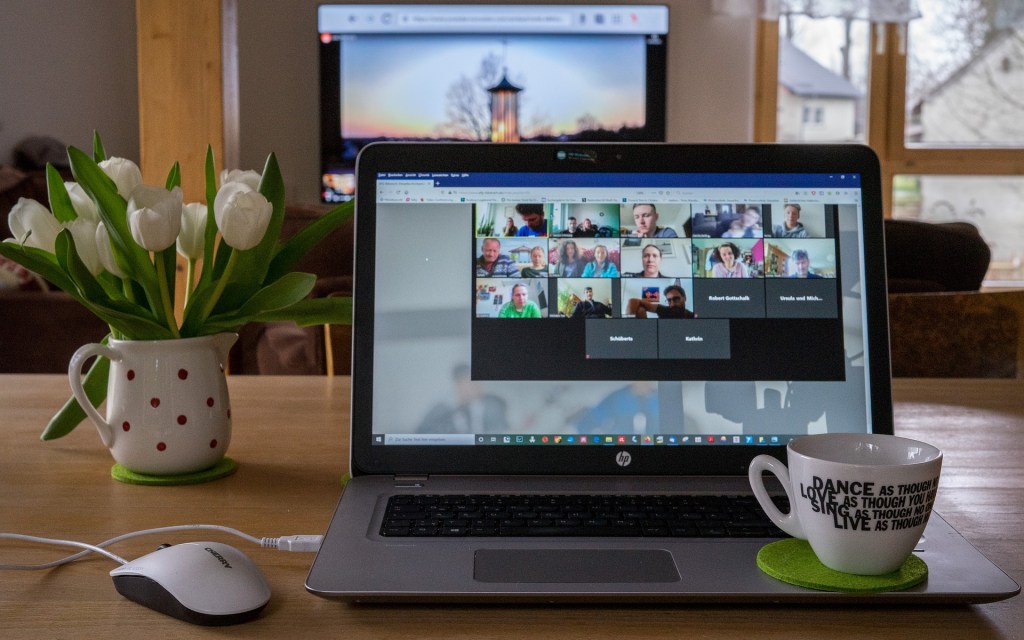
    Interactions are formal: Meetings are done virtually, with set start and end times, and people stick to the agenda to respect schedules. Meetings can seem less formal because you get a peek into your coworker’s home, and you’re not meeting in the boardroom. 

    However, it’s harder to relate to someone you know little about, apart from their name, job title, and what their home office looks like.

    The management team has an important role in creating an inclusive work culture for their remote teams, starting with how they communicate and meet.

    1 In-person team events

    Virtual meetings are an effective way to collaborate quickly without wasting time on travel (by transit or by foot when you walk to the meeting room), but it isn’t easy to get to know people by meeting on a computer screen.

    Technology cannot replace in-person events. If a group of coworkers lives within driving distance, it’s worth it to find a day when most people can meet for lunch and a chat. Occasions such as greeting a new team member, saying goodbye to someone moving away, or celebrating a holiday are the perfect reasons to socialize and get to know your team members in a non-work-related context.

    If possible, arrange for the whole company to meet at a central location. This annual meeting can be a day for everyone to meet in person and bond over activities that are completely unrelated to work.

    2 Developing an inclusive culture from the top down

    An inclusive culture for a remote company starts at the management level. New hires and team members follow the example that their direct report or supervisor sets.

    The tone used in emails, group chats, and direct messages is a part of the company culture. Do messages sound supportive and friendly? Or do people stick to the point? (The occasional curt message doesn’t count- eventually, you’ll catch someone in a hurry if you message them often enough.)

    Do group chats and meetings include sharing news and photos about what company members have been up to? A photo of a company lunch helps to connect names to faces and gives a sense of what other teams or departments are doing. 

    Group chats and meetings are also opportunities to share what individuals have accomplished. For example, what projects were completed this past quarter? What did Jane contribute to the company lately to improve operations? What presentation did Sean do last month that won an award?

    These are just some ways the company can create an inclusive culture that connects names, accomplishments, and faces. People become more than employees that you know by name.

    3 Starting team meetings with a little socializing

    Team meetings are usually scheduled for a half hour to an hour. It’s typical to have a lot to cover in that short period of time. However, the team can spare a few minutes for some socializing. That casual start to the meeting can do a lot to build relationships.

    The person acting as meeting moderator can start with a question such as, “How is everyone doing?” or ask about the weather. When your team lives in different cities, comparing the weather can be interesting. If the weather seems dull, other neutral topics are also worthwhile, such as everyone’s upcoming weekend or holiday plans (although this topic tends to create long discussions that take the meeting off topic).

    These short one to two line conversations are a way to break the ice and get to know team members more personally. You find out that a teammate’s work buddy is a dog (who may pop by during the virtual meeting). Or you may find out someone likes beach weather as much as you do.

    These bits of trivia come in handy when you need to message someone for the first time with a work request. You can add a personal note by adding, “Hope you have a good rest this long weekend at your summer cabin and let me know when the report is finished!”

    4 One-on-one chats with remote team members

    One-on-one chats with team members are a great way to get to know other people who work at your company. When you can speak one-on-one at a virtual meeting or on a phone call, you have the chance to get to know each other on a personal level. 

    For example, you can find out what brought that person to the company or what their specific role is (especially if you don’t work directly with that coworker). Depending on how social the other person is, you might share details about your personal life. 

    Team members can message each other with work requests and add the latest picture of their dog or cat if they discover that their coworker is also fond of animals or also has a pet. In some cases, these chats evolve into sharing anecdotes about hobbies or jokes interspersed with work related chatter.

    When you really connect with your coworkers, you may also open up personally, knowing your coworker will offer you support. For example, offering to pick up a work task for you because you’re sick, or sending you a joke to help you feel better because you’re struggling with something in your personal life.

    These personal connections can also happen with your supervisor or mentor. People who are in management or supervisory positions should take the time to get to know their team members by booking time for one-on-one meetings. 

    During that time, they can find out more about why someone is working for the company (they might not have been involved in the hiring process), what that person’s career goals are, and how that person likes to work (such as they like to be included in teamwork or they prefer to work independently). 

    This is also the perfect time to find out if the team member is struggling with something at work or at home but is reluctant to share. Discussing a solution can help to deal with mental health issues or possible future challenges.

    These types of connections are entirely possible with remote teams.

    5 Setting a tone of sensitivity

    People who work with remote teams can find it challenging to connect with their coworkers. You don’t have the chance to run into them before or after work for a quick conversation, for example. This lack of opportunity to connect results in coworkers that are faceless entities that you email with work requests.

    However, if company culture includes the occasional in-person event, promotes having a snippet of social time at the start of a meeting, or encourages people to get to know each other on a more personal level, people will feel more included.

    Some may resent social opportunities and consider this inclusive culture to be a waste of time. Introverts want to be left alone to work. A direct, to-the-point person will avoid wasting time with unrelated chatter. 

    The downside of this type of disconnect is people working in silos, and when they need help (and this will happen), their coworkers aren’t as quick to give a helping hand. This isolation can also open the door to misunderstandings and resentment.

    An inclusive culture of respect and support for others will create a more connected workplace. There are a few ways to create this sensitivity. 

    For instance, if you discover that your coworker has social anxiety, the team can be more encouraging. They can ask for that person’s opinion, knowing that person isn’t likely to share. They can also respond in a non-judgemental way and show appreciation when their coworker does share an opinion or idea.

    Key Takeaways

    Taking the time and initiative to get to know your coworkers creates a positive environment for your remote team. Making these connections are important when you don’t see everyone day-to-day. It’s too easy to see coworkers as just names when you work from home. But when you discover just a little about a coworker’s personal life, such as a hobby, number of kids, or favorite food, you start to see them as people.

    You’ll want to support and help each other when these coworkers are humans that you care about. Creating an inclusive culture begins with taking the time to build relationships with your coworkers.

    If you liked this post, subscribe so you don’t miss the next one!
  • Virtual Meetings: Best Communication Practices

    Virtual Meetings: Best Communication Practices

    Virtual meetings existed as far back as the 1960s, but the pandemic made them a household word that people tend to love or hate. 

    Zoom, Google Meets, Microsoft Teams, and WebEx have become a regular part of our vocabulary as we conduct work meetings and job interviews online. Zoom parties have become a way to network and socialize. However, are virtual meetings more or less effective than meeting in person?

    For every benefit to meeting online, there is a benefit to meeting in person. Overall, since 2020, organizations have increased their use of video meetings. Here are some revealing statistics from Modality Systems, a technology solutions company:

    • Video meetings improve productivity by 50%.
    • Video conferencing has seen a 535% rise in daily traffic in 2020.
    • The value of the global video conferencing market in 2021 is estimated at $6.03 billion.
    • 90% of people find it easier to get their point across on video.
    • 76% of employees use video conferencing for remote work.
    • 40 million users are conferencing on Skype daily during the first half of 2020.

    The statistics imply that virtual meetings are here to stay. People can connect and network with people in other cities and time zones. They can save time on commutes. 

    However, these meetings are not the same as connecting in person. To create efficient meetings, people tend to cut down or cut out small talk. There is no time for side conversations or getting to know people in a group meeting. 

    However, virtual meetings can be an effective way to communicate with team members, get things done, and meet those company objectives. Here are some best practices for conducting efficient and productive virtual meetings. 

    Who should attend… and who to invite to meetings

    For those of you who dislike virtual meetings – the good news is not everyone should be invited to every one. For those of you who like to participate and talk in meetings, the good news is people who should attend are those who have something to contribute.

    Many professionals who have done the research have concluded that the optimal number of participants is eight. Department-wide meetings or company meetings with more than eight people become ineffective. Not everyone has a chance to participate and not everyone needs to be there.

    Eight or fewer should be invited to a meeting. The objectives of the meeting (more on that later) determine who should attend. If the meeting is about a project progress update, the key people involved should attend, for example. 

    A department update may be more effective as an email or report update, and only key members will attend the update. Instead of meetings, one company sends updates or newsletters to the entire department using a paper copy that each person must sign to show they have read the update.

    A one-to-one meeting is usually the most productive – if you nod off at that meeting, you’ll be noticed. Also, for a two-person meeting, you only cover what you need to cover, and the meeting can be over sooner than the scheduled time.

    How to avoid Zoom fatigue (virtual fatigue)

    Some people groan at the mention of another Zoom call. They don’t want to spend time getting dressed up (from the waist up) to go on camera. For others, having to speak makes them nervous. (Especially if the meeting is being recorded – your words are immortalized forever.)

    Virtual meetings have created new issues and situations that didn’t exist when people met in person. “Zoom fatigue” or “virtual fatigue” have become the term to describe the tiredness and burnout from too many virtual meetings. 

    It’s just not natural to maintain constant eye contact or see yourself. Constantly staring at others can seem confrontational. And looking at yourself during the meeting can make you painfully aware of what you look like and what you’re doing. 

    One solution is to turn off the camera. Mentally, it will be less stressful because you won’t feel like you’re being watched. But without the camera, it may feel less personal, like walking into an empty room and conducting a meeting with a bunch of disembodied voices. You can’t read facial expressions or judge people’s reactions from their body language. 

    A perfect solution to remedy Zoom fatigue isn’t out there. It’s possible to do both: to have a combination of on and off camera meetings.

    How long should the virtual meeting be?

    The average meeting is about the length of a regular TV show: 30 minutes to an hour. Scheduling a meeting can be a challenge in the first place – getting people to stay for 60 minutes can be near impossible for various reasons. 

    People who juggle multiple meetings in a single day may not attend each meeting they are invited to or stay for entire meetings. Another issue is time zone differences. A meeting to start the day for some may be a lunch break meeting for others.

    These virtual meetings can become a game of Tetris, in which you’re trying to get as many key people to be available at a time that works best for everyone. 

    Many agree that meetings should be between 30 to 60 minutes, but not exceed an hour. Having a moderator helps keep the meeting on track and finish on time. 

    According to Modality Systems, “Bad meeting organization leads to a loss of over $399 billion per year.” Like buying a ticket to watch a good movie, that meeting should be worthwhile and productive for everyone attending.

    What qualifies as an effective virtual meeting?

    Let’s start with the most fundamental question. Should a meeting be called in the first place? And if the answer is Yes, will every attendee leave the meeting thinking, “that meeting was a solid use of my time”?

    Some meetings don’t need to take place at all. It may be more efficient to send everyone an email to read at their earliest convenience. Another possibility is to use a video messaging tool such as Loom. You can record yourself talking while you share your screen. This method is effective for providing instructions for one or more team members without coordinating everyone for a meeting.

    If a virtual meeting is the best way to achieve some objectives, establish clear goals and objectives for the meeting. A moderator will monitor the time remaining to ensure that enough time is allocated to achieve the objectives. 

    Each person at the meeting should also have a specific role. For example, lead the meeting, provide progress updates, take meeting minutes to provide a report, or give feedback or insight on a topic.

    To evaluate the effectiveness of a meeting, all participants should fill out a brief survey, such as questions in which you select a number from 0 to 10. They rate items such as meeting duration, the purpose of the meeting, their participation, and how the meeting was conducted.

    Someone who gives low scores because the meeting was a waste of their time should not be at the meeting. Everyone should be giving scores from 7 and up.

    Should people socialize at virtual meetings? 

    What do you prefer: getting down to the business of eating at a fast food joint, or having a social dining experience at a sit-down restaurant? 

    Virtual meetings are so precisely timed that socializing doesn’t happen. When you attend in-person meetings you have the chance for small talk when you run into someone in the hallway. Or you can do a quick catch up with people as you file out the door.

    But when you have a virtual meeting, you really do “jump on a call.” You jump in, discuss what needs to be discussed, and then leave with the press of a button. Even if you want to have a social conversation as you wait for stragglers, everyone present is part of that conversation. You can’t chat quietly off to the side.

    Some people lead their meetings with a brief check in, which is the only social touchpoint. They ask a general question, such as how is everyone doing, or make a neutral remark about the weather or something happening in their city. These moments are a brief window that humanizes people into more than Meeting Participants. 

    People have used these meeting openings as an opportunity to reveal something personal about themselves or share a joke. At one meeting I attended, the meeting lead commented on the construction crew lifting a porta-potty in the line of sight of her condo window. During the meeting, she shared a photo of her view in the chat. It was an off-topic moment, but a nice break from project objectives.

    Working with remote teams makes it difficult to build relationships through emails, messages, and to-the-point virtual meetings. Team members seem to have no personal life because you don’t know any details about them outside of work. It does benefit everyone to spend at least a minute or two to have a social moment before getting down to business.

    Key Takeaways

    Virtual meetings will permanently be a part of the work culture as we continue to be a global community. As a best practice, the meetings we schedule should continually be evaluated for them to be effective and productive. 

    Meetings should have value for all who attend; otherwise, they should not be there. The number of attendees and the meeting length are also important factors. In some cases, a meeting may not be necessary because the information can be more effectively conveyed with a different medium.

    Best practices will constantly evolve as our technology evolves. In the future, if we can virtually attend a meeting in 4D without having to physically be present, we may face new problems (virtual travel fatigue?) but the upside is we must always be open to new and better solutions for communicating in this ever-changing world. 

    If you liked this post, subscribe so you don’t miss the next one!

  • 4 Reasons Remote Work Is What You Love or Hate

    4 Reasons Remote Work Is What You Love or Hate

    Mention “remote work” and people will react with love or hate. In the last couple of years, more workers have experienced remote work as offices closed. Most workers agree that remote work saves you the commute and helps you to avoid annoying coworkers. But there is also a darker side.

    People who suddenly switched to work from home (WFH) may have converted their dining room into an office, allowing work and home to blur together. Workers who enjoy collaboration may have struggled with a new feeling of isolation from their colleagues.

    However, remote work does come with great perks if you prepare yourself for the lifestyle. A big plus is having more flexibility in your schedule, and a casual dress code that allows comfortable clothes.

    Plenty of other pros and cons make remote work a love or hate situation. Here are four downsides to working from home, along with some top tips for working remotely:

    Social media is more distracting than your surroundings

    You may be working remotely, but you’re not entirely in isolation. Even if you live with family or roommates, and you’ve arranged for them to leave you alone during office hours, you’re not alone.

    In the Information Age, you’ve got plenty of distractions on your computer and phone. Facebook posts, IG reels, text messages, and group chats give you easy excuses not to work. If you’re stuck on what to write for your report, an easy press of a button will have five minutes rushing by as you watch an amusing TikTok video.

    The break is for inspiration, you say. You can tell yourself you needed that quick recharge; it’s no different than a quick chat with a coworker as you grab a coffee from the company kitchen.

    But similar to your set up at the office, you choose how you arrange your work area at home. You’ve found a place where you can work undisturbed. Next, set up boundaries for social media and communications with some quick changes.

    Turn off notifications and check messages only when it’s a designated break time.

    Update your availability status so coworkers or clients see that you don’t want to be disturbed. Another option is to quickly scan your work messages and emails to see if they must be answered right away. Otherwise, wait until you arrive at a natural stopping point in your work task or workday before replying to those messages.

    Your loved ones will be in your personal and professional life

    One of the best things about remote work is the shortened commute because you wake up in the same building where you work. It also means your loved ones will have easy access to your office.

    It can be challenging to draw a firm boundary between your work life and personal life. If you don’t set boundaries, both worlds will blur together.

    Some people are comfortable allowing family into their workspace. During virtual work meetings, their children drop by to ask permission to watch a TV show, or the family pet observes your discussions. Remote work has allowed coworkers to meet family members in a way that they wouldn’t have before, when you worked at the office. If you aren’t comfortable with this lack of boundaries, you have other options.

    Some remote workers rent an office co-working space or go to a coffee shop. Others set up office hours at home. For example, when the study room door is closed, it means you’re working, and you can’t be disturbed until your next break. If you’re working at a desk in the kitchen or living room corner, you can signal that you’re working whenever you have headphones on.

    Setting regular work hours can be more difficult when you’re working remotely. It’s easy to get distracted and put off working on a project now so you can work on it tonight. With flexible hours, you have the convenience of scheduling doctor’s appointments during the day. You can excuse yourself from work to pick up the kids from school.

    However, because your office is where you live, it’s also easier to be working all the time. You no longer have a long commute, so you could work a bit longer to finish that task instead of waiting until tomorrow. Coworkers could also expect you to be more reachable because you are at home, where you should see that email notification after hours.

    For these reasons, it’s vital to set boundaries for yourself. Log off at a set time each day. Avoid answering messages and emails once you’re officially “away” from the office. When people know you’re not reachable before and after certain times, they will not expect to get a reply from you.

    Setting boundaries is essential for your mental health. The most significant upside to remote work is you get to set those boundaries. If you’re a morning person, plan to complete projects in the early hours. If you’re a night person, complete your most challenging projects at night. Also, block off time for yourself and your loved ones.

    Working from home doesn’t mean work life and home life should coexist.

    Lack of productivity or lack of a routine

    Working remotely allows more freedom in your schedule. You can plan your work hours around family events and routines. It’s easier to schedule dental appointments, car servicing, and grocery shopping at more optimal times during the day. 

    Having a set work schedule is also helpful for getting yourself organized and keeping track of tasks. For example, check for meetings you need to prepare for as soon as you get started. Always log in your project hours as your final task for the day. Having a routine also mentally prepares your brain for the start and end of the workday. 

    Plan out your tasks for the day. One way is to schedule your most challenging tasks first, so you’re working on them when you have the most energy. If you have a lot of repetitive tasks, you can complete some, then reward yourself with a break.

    Remember to break for lunch. When working from home, it’s easy to keep working if you’re engaged in what you’re doing. You don’t have the distraction of coworkers leaving their desks to remind you when it’s lunchtime.

    Communication skills become a lifeline

    Communication is important at the office, but it becomes your lifeline to your boss and colleagues when you’re working remotely. Silence can be detrimental, so over-communication is preferred when working from home.

    Your supervisor and coworkers don’t know what you’ve been doing unless you leave an electronic paper trail. Communicate clearly in group chats what you’re working on and what you’ve accomplished. Leave links to completed reports so people can find them.

    If you haven’t completed what you’d planned to by the end of the day, take the initiative to update team members on new delivery dates. Don’t wait for them to chase you for an update. Taking on responsibility also shows your accountability.

    If you weren’t clear about your task or role, send an email outlining what you believe you’re responsible for finishing by specific dates. This allows your boss the opportunity to clarify any misunderstandings before any errors occur.

    When you work from home, there are fewer opportunities to socialize. However, you can still take advantage of opportunities to see how a coworker is doing. The start of a virtual meeting is a chance for some small talk to see what people plan to do for an upcoming holiday or to check if a coworker’s arm has healed from an accident.

    Group chats are also an informal opportunity to chat with coworkers. For example, after asking if your coworker has completed the spreadsheet, ask how she is coping with the weather.

    Depending on your rapport with the team and the company culture, you can send a photo for some humour. For example, sending a photo of your cat’s latest humorous antics. Group chats are less formal than email and can offer opportunities for coffee break conversations.

    Communication is also about setting firm boundaries. Your boss may request an impromptu meeting at an inconvenient time (which could mean you aren’t camera-ready). In that case, you can suggest another meeting time or request to have the task by email instead of discussed at a meeting.  

    Key Takeaways

    Remote work has become a household term in the last couple of years. Some people were forced to work from home, while others prefer it. Regardless, remote work has its pros and cons. Applying some top tips to your remote work set up at home will increase the perks of working from home.

    If you enjoyed this article, subscribe to ensure you don’t miss the next post!

  • Fashion Trends for Remote Work: What Are You Hiding?

    Fashion Trends for Remote Work: What Are You Hiding?

    When the pandemic disrupted commutes to work, it challenged us to rethink our wardrobes. Offices shut down and people with desk jobs found themselves working from home in pajamas, yoga wear, or “half-and-half” fashion styles.

    So what’s half-and-half? If you’ve attended a virtual meeting, you’ll know what I mean by half-and-half styles. You’re wearing a blazer, shirt, or office casual sweater on top, with leggings, jogging pants and bare feet, socks or slippers where the camera can’t see. Business casual on top, and casual on the bottom.

    A year later, after dressing down, people have started to dress back up again. People who still work from home (WFH) aren’t wearing heels and dress shoes yet, but they are raising the bar on work from home fashion. It’s one way to mentally separate your weekend self from your work self, especially if your office and home are the same place.

    Here are some fashion trends from the work from home world.

    Networking Meetings

    When people started to hold meetings at home last year, they were looking for a temporary solution. Those who were new to working from home attended virtual meetings from dining tables or their couches. Room lighting was sometimes dim and their background was the mess of everyday living.

    During the second year of work from home, fashion became business casual. People wore sweaters, shirts, scarves, and quality T-shirts. Many had well-positioned cameras and lighting, and virtual backgrounds of offices or a virtual wall with their company information on it.

    People had become accustomed to virtual meetings and their routines. Some business owners even had their contact information and company description pre-typed and ready to paste in the chat after they introduced themselves.

    If we return to in-person networking meetings, it will be an adjustment not to see company names projected behind people. It will also be jarring to see people from head to foot – and notice that they have a height.

    Coworker, Client, and Team Meetings

    The height difference is one factor that’s disappeared as a result of remote work. In this new world of entire companies working from home, you may never experience that moment of walking by as a coworker changes from flats to heels, or grabs a suit jacket as you both walk to the meeting room.

    In the summer this year, fashion was more casual for team meetings – T-shirts and tank tops, especially if the team is entirely female. When winter arrived, people attended team meetings in sweaters, polo shirts, and shirts. They dressed like they used to when people worked in offices. Or perhaps they did a wardrobe change… we won’t know.

    I prefer to dress more casually when working and do a quick clothing change for team meetings. Coworkers and clients I’ve never met in person will forever think that I dress more formally than I usually do. If they ever see me wearing what I really wear while typing away at a project, they may be surprised. Perhaps the surprise might even go both ways. I’m not 100% sure the CEO stays dressed up after a virtual meeting is over. Maybe she exchanges her lovely scarf and fancy sweater for a hoodie. We will never know.

    Surprise Meetings

    If introverts dislike one thing, it’s last-minute notice that you’ll be seeing people. Back in the days when people worked in offices, and the team suddenly called an impromptu meeting, your first thought wasn’t, “Uh uh. What should I wear?” You’re already at the office.

    Your reaction may be different when you work from home. Maybe you got up late so you’re rushing to get an assignment done. You haven’t combed your hair and you’re wearing the grubby old hoodie that never leaves the house. Then you get a DM to meet online RIGHT NOW.

    You panic about your appearance, and then you realize: you’ve got an excuse not to go on camera. Sorry, voice only today, you answer. I wasn’t prepared for a video call. Another alternative is to dim the lights so you look better than in real life. You can blame a bad internet connection. Or you say didn’t have time to set up your camera.

    I once experienced a surprise at an impromptu meeting. The organizer asked to meet in a half hour. She always had a virtual background of a home office, so when her background had changed to a large designer kitchen, I assumed it was her new virtual background. Then she destroyed the illusion by saying it really was her kitchen and sorry for the mess. She should have said it was virtual kitchen.

    Final Thoughts

    Some people were already working from home before WFH and remote work became household words. In the second year of the pandemic, it seems that people have turned their home office into their professional work area, and dressing like they’re working in a traditional office. The biggest difference is, they are still dressed for comfort, but the look is more classy.

    Perhaps the next step in WFH as technology advances is holographic images of ourselves whenever we attend virtual meetings. Our image could be dressed in a suit or sweater while our real self is wearing an old T-shirt. Why not?  Work from home is continuously being redefined.

    If you enjoyed this article, subscribe to make sure you don’t miss the next post!

  • Fashion Tips and Trends for Writers

    Fashion Tips and Trends for Writers

    Are writers supposed to dress for the runway? Fashion trends and writers aren’t terms that are usually combined, yet a random search of “fashion” and “writers” led me to the intriguing topic “fashion for writers.” What would writers’ fashion look like?

    Most writers I know are introverts: shy and unseen. You read about them and their work. You just don’t see them, so does it matter what they wear?

    Of course, writers wear clothes, but what exactly are the fashion trends for this elusive group? The mystery is about to be solved. Here are some fashion tips and trends for writers… and anyone who wants to dress like a writer.

    What should a writer wear?

    A search through Google images showed me a wide range in fashion: a suit and tie (while standing in front of the stereotypical bookshelf, because what is a writer without books, right?), a blazer with scarf and sunglasses, and a t-shirt and dark-rimmed glasses.

    These days, I rarely see anyone in a shirt and tie. I’ve never met a writer with a scarf and sunglasses before either.

    In some of my writer groups, people write about lounging around the house in gym wear or PJs while they sip a glass of wine at their computer.

    Some easy fashion tips

    The topic of fashion and dressing like a writer has resulted in an article on Wikihow that provides fashion tips on dressing like an intellectual writer or an artistic writer. Writers write a lot, the article advises, so wear glasses. And writers should carry an accessory, such as a book. To look more “artsy”, the article recommends wearing sunglasses or scarves, anything to flatter your looks.

    This article describes fashion that fits with the times. Many of us have worked from home lately, and writers are no different. For one of its fashion tips, the article says, wear whatever you like as long as you’re presentable from the waist up for those virtual meetings. Pants are most important if you leave the house. Otherwise, no one at home really cares what you wear.

    Comfortable clothes, such as yoga pants, are fine.

    Or find an outfit to show off if you’re a writer who is into social media and wants to show off your outfit-of-the-day.

    For genre writers, the article suggests dressing for your niche; perhaps dressing more like the characters in your stories. For example, if you’re a romance writer, dress like the heroine. If you’re writing a western, dress like a cowboy.

    Writers should have fun with whatever they wear, as long as these fashions inspire them to write. Practically speaking, it may be easier to wear what anyone working from home wears to sit for a day in front of the computer.

    But unlike most people who work from home, writing is its own profession. What we wear is like our work “uniform” or our unique identity.

    If you’re a writer, ask yourself, what pieces of clothing would define your identity? What clothing characterizes you so that when you’re famous, your fans can recognize who you are with one single glance?