Grammar is a tricky subject, wouldn’t you agree? Even if you write every day and love your grammar (maybe), you’ll find that rules change. English is a living language, and what wasn’t correct before can become accepted!
On the flip side, some mistakes are repeated so often that people think they are correct when they aren’t. Here are ten more quick grammar tips to avoid common slips and make you look smart. You can also check out ten quick grammar tips part one.
Tip 1: toward/towards
Which form of the word do you use? Do you use toward or towards, backward or backwards, or afterward or afterwards?
Here’s the quick rule to remember: American and Canadian English prefer the form without the “s” and British prefer the “s”. Whichever form you choose, stay consistent!
Tip 2: peak/peek/pique
These three words all sound the same, so they sometimes get confused when writers write their thoughts in a hurry.
Peak is the high point or apex, peek means a quick look or glance, and pique describes something arousing interest.
Tip 3: stationary/stationery
One of these words is a favourite for writers and editors.
Something stationary is immobile and stays in one place. It doesn’t go anywhere. Stationery refers to writing materials such as paper, envelopes, and cards.
Tip 4: between/among
These two words are easy to mix up and to use incorrectly.
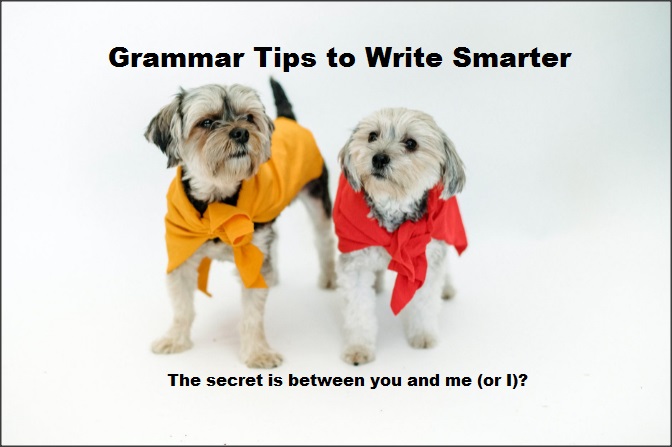
Between is used for one-to-one relationships. For example, a secret is kept between you and me. It can also refer to multiple one-to-one relationships. For example, trade between countries. Among is for collective relationships. For example, the teacher divided the candy among the children.
Tip 5: illegible/unreadable
Have you ever picked up a handwritten note and you had trouble with the handwriting?
Illegible handwriting or printing is not clear enough for you to read. You can’t figure out what the words are because each letter is a messy scrawl. Writing that is unreadable is hard to understand or boring. You can understand each word, but you can’t make sense of the main point or message.
Tip 6: sight/site/cite
A sight is something that you want to see, such as a tourist seeing the sights. Sight can also refer to something that helps you to see, such as the sight of a gun.
A site is a location or place, such as an archaeological site, or the site where the condo will be constructed. A website also uses this form of the word.
Cite refers to a citation, or sourcing information. Researchers cite the sources where they got their information.
Tip 7: anyone/any one
Anyone is a singular pronoun that means any person. For example, anyone can visit the park.
Any one refers to a single person or thing in a group and shows emphasis. For example, I don’t know any one of those people in the class.
Tip 8: loose/lose
With this example, one letter can make a big difference.
Loose refers to complete release, or release something from restraints. For example, the loose screw under the table may fall out soon.
When you lose something, it is taken from you. For example, people don’t like to lose their job, or lose a chance at winning a prize.
Tip 9: disorganized/unorganized
You might be thinking: disorganized and unorganized mean the same thing. True, but there are minor differences.
Disorganized can also mean confused or unable to work together. For example, the campaign was poorly planned and disorganized.
Tip 10: question whether/question of whether/question as to whether
Just remember: the shorter the better. If you can get your meaning across with fewer words, always choose the phrasing with fewer words. In this case, all three expressions have the same meaning, but the shortest one is the preferred choice.
Key Takeaway
Many common grammar mistakes have made their way into our written communication. Check your hastily written texts and your rushed emails to ensure you’re not guilty of making these mistakes! Follow these ten grammar tips to make your grammar look polished.
If you enjoyed this article, subscribe to make sure you don’t miss the next post!
Should we fear the intelligence of our smart devices? They already make basic decisions for us, so where does it leave us in the future? Will we evolve to become dumber as a species? And if we become stupider, does it mean that Terminator machines will become a likely reality?
Recently, those questions were on my mind. I’m one of the many that depend on my smartphone and other smart tech to make it through my day on a regular basis. I couldn’t survive without them. They tell me things like when I need to get ready for a meeting and if I have enough money for all my expenses.
Smart Phones Manage Small Tasks
For many, our smartphones have become our personal assistant. I can set up phone features to remind me about upcoming appointments and project deadlines. I can keep track of how long I’ve taken to complete a task using the stopwatch. Or I can ask my phone to remind me to shut off the stove in thirty minutes if I’m busy doing another task.
So much information is at my fingertips. If I want to exchange currency, I can search online, type in a number, and convert the amount. If I want to meet my friend at the mall by five, I can get on a website, input my destination, and my phone will tell me when to leave the house to catch the bus.
The conveniences of having a smartphone are numerous, but is this technology harmful? If I don’t have to make basic calculations anymore, is it possible to forget how to do them?
Tech Helps Us With Travel Plans
While my phone keeps track of the time to remind me when to leave the house, I can focus on another task. I’m not wasting time figuring out how far it is from my house to my destination. I’m not working backwards from the bus arrival time to decide when to walk out the door to get to the movie theatre.
If I’m driving to my destination, I input where I’m going and my car or phone tells me how to get there. No need to study a map beforehand to figure out the best route to take. The time I would have spent doing that can now be spent on more difficult tasks, like deciding what to wear or calling a friend before I head out.
Photo Credit: Kindel Media
Technology Acts Like a Writing Assistant
You could say features such as autocorrect and editing on word processing programs have made us lazy… and “stupider”. I confess that when I can’t remember the spelling of a rarely used word, I just cobble some letters together and wait for autocorrect to assemble the word for me.
When writing emails, I depend on my editing feature to tell me if I typed a word twice in a row or used the wrong form of a verb. Do these habits make me a bit lazy? Probably. But I think of it as taking advantage of the system.
Why spend the time to look up the spelling of a word in a dictionary? Completing my writing task is more important.
Do I worry about typos and grammar mistakes? Sure. I still review my work after I type it, but my software acts like a second pair of eyes to alert me if I’ve missed an edit. This is especially useful if I’m a bit tired or it’s the end of a long day. I appreciate the extra help.
Do I think that AI could write my emails for me? Not yet. I still have arguments with Grammarly over the suggestions it gives me. Professional writers have said that AI programs that generate content don’t have the same quality as professional writers.
Our technology is not taking away our ability to make big decisions. By making small decisions for us, it’s freeing up our time and energy to work on more important things.
Smart Tech Isn’t Perfect
Despite all my fancy gadgets to remind me when projects are due and which meetings I have to attend, I still have to decide what to do if an emergency arises. How do I diplomatically get out of a meeting, handle the emergency, and still complete a project on time? Smart tech is not yet smart enough to juggle these delicate situations.
Smart tech can also fail you. Only a human can cleverly negotiate their way out of a sticky situation. For example, a writer wrote in a forum that she had forgotten to put an assignment deadline in her electronic calendar. Only by a stroke of luck, she suddenly remembered the three-thousand word article she was supposed to write the day before it was due.
You can’t fire smart tech for failing you. There are some things that tech just can’t do. It can’t find flaws in your organization system. It is not yet able to prioritize your to-do list if you forget to input the data.
However, smart tech can help us accomplish tasks that would be difficult to do on our own.
Technology Can Save Time
A smart washer, for example, can calculate its energy consumption. Imagine the time it would take you to figure out the energy consumption of your washer on your own. You would need to do some research to find the numbers you need before you do any math.
Your ability to come up with the figures for your appliance’s energy consumption could impress your friends. You could also gain some insight into savings on your electricity bill. But why waste time on this when your machine could do it for you?
Meanwhile, you could be using that time to decide what you could spend your savings on. All kinds of smart tech could be managing small tasks for you.
A smartwatch with GPS navigation could help you decide on the best route to your destination. The calculator feature can help you figure out out how much to tip your server. Smartsheets can keep your projects organized, making it transparent when tasks are due. They function as your project manager.
Key Takeaway
Smart devices make many small decisions for us, freeing up our time (and brain energy) to work on other tasks and make the big decisions. Overall, they help us become more efficient with our time.
If you enjoyed this article, subscribe to make sure you don’t miss the next post!

You’ve finished your manuscript and you’re ready to work with an editor for the first time. You’re not sure what to expect; in fact, you’re a little apprehensive. What if the editor thinks your writing is bad and shouldn’t be published? What if the editor reviews your story and you don’t like the feedback?
Working with an editor can be a stress-free process if you know what to expect. Here are some tips for working with an editor, including finding the right editor for your manuscript, pricing and editor’s rates, and dealing with feedback if you’re looking to self publish.
Finding an Editor
The first step to working with an editor is to decide what type of editing you need.
If you haven’t had your manuscript reviewed before, it’s best to get a developmental edit (also called structural edit). The editor will review your book and give you feedback about the flow, pacing, and content.
If your manuscript has already been reviewed for structure, then you’ll be looking for a copyeditor. This editor will be reviewing your manuscript for grammar, spelling, and punctuation. You may also get feedback about the wording of your sentences or notes about your use of diction if, for example, you’re using American terminology while writing for a European audience.
Once you’ve decided what type of editor you need, search for editors online.
Search for professional editors associations to post a job on their website. You can also search on freelancer websites such as Upwork and Fiverr. Yet another option is to search for editing services and comb through the websites for freelancer websites that offer editing services.
Check the editor’s background.
Look for information about the editor’s training and experience. Read their bios. Does the editor have experience working with your type of manuscript? How long have they been editing for your genre or niche? Look for testimonials and reviews from past clients. What was their experience working with the editor?
When you’ve found an editor you would like to work with, send a message or email.
Initial Contact and Communication
Get in touch with the editor and send some basic information about yourself and your project.
Depending on whether you’re on the editor’s website, a job website, or community page, go to the contact page, send an email, or fill out a form.
Details that the editor will want to know are your name, book genre, and word count. If you have more background information, provide that as well. For example, is this the second book in a series? Was the book previously published and you are updating it?
Have you worked with an editor before? For example, you worked with an editor for the structural edit and now you’re looking for a copyedit. This tells the editor what stage you’re at in the publishing process, as well as if you’re familiar with editing. Sometimes, a new writer will ask for a proofread when they really need a copyedit – there’s a difference in price and a difference in how much editing you’ll need.
Clarify details about the editing you want done and your budget.
Ask the editor for their rates and have a budget in mind. Even if the editor has rates posted, they may adjust their rates if your budget is close and they will take on your project for a discount. You can ask for a free sample edit if you want to get a feel for their editing style.
Find out if the quote they provide is for one round of edits, or if they will provide a second round of edits after you make changes. Most editors will work with your document in Word. They will use track changes so you can accept or reject their edits.
Confirm timelines and method of payment.
Finally, let the editor know about your timelines. The editor will tell you when they can have your manuscript edited depending on how busy their schedule is. If you’re in a rush, they will charge more if it’s a rush job.
When you both agree to the details of the editing project, then the final step is payment. The editor may ask for fifty percent upfront and then fifty percent on completion of the project. If the amount is a lot, you can ask if the editor will agree to smaller installments. Finally, discuss how the payments will be made: PayPal, etransfer, or any of a number of options.
When you’ve sorted out the details about the editing work, then you’re ready to begin.
Photo Credit: Suzy Hazel
The Editing Process
Provide the editor with a manuscript they can mark with edits and comments.
In most cases, you’ll be providing the editor with a Word document. The edits will be made using the track changes feature. Another, less common approach that could be used is providing the electronic file to the editor so the edits could be made using HTML.
When the editing is complete, you will receive an email from the editor with some overall feedback. The email will start with the strengths of your manuscript and what the editor liked about it. After the big picture feedback, the editor will get into the details about any issues and suggest ways to improve on these issues.
The editor may also have some questions (queries). The questions are useful because, as an author, you’ll be very attached to your manuscript. It’s your creation! However, the editor is reading your book with another set of eyes. Their questions may be the same as the questions your reader may ask. The editor may point out inconsistencies that you weren’t aware of.
For example, the editor may suggest reordering a few chapters in your nonfiction book, so the flow of ideas makes more sense to the reader. Or the editor may recommend adding more details to further develop your character’s personality in your novel.
There are recommendations that an editor may suggest, from taking information and putting it into a table, to recurring edits for your use of the comma.
When the editing is complete, you will receive an email and a marked-up version of your manuscript.
Handling Feedback and Edits
Reviewing the edits is a step-by-step process and can involve a discussion about the suggested changes.
If it’s your first time working with an editor, remember not to take the feedback and edits personally! This may be hard to do because creating the book was like creating a child. The edits are about your work and don’t reflect on you as a person. With any manuscript, there is always room for improvement. So you’ll need to detach yourself a little emotionally from your work.
After reading the email for the big picture review, open your document to review the detailed edits. You’ll have the option of accepting or rejecting each edit the editor made. The editor may also add comments and queries about the manuscript.
If you’re unsure why an editor made a specific change to your manuscript, then write an email to the editor to find out why the edit was suggested. When you understand the editor’s reasoning, you may decide to accept the edit.
Or you may discover from the discussion that the editor had the wrong impression about what you were trying to do when you wrote the sentence. In that case, you might rewrite the sentence or passage to clarify the misunderstanding.
When you’re satisfied with the editing, it’s time for your final communication with the editor.
Concluding the Editing Process
Let the editor know that you don’t have further questions, and make the final payment.
If you don’t have any further questions after reviewing the editor’s general feedback, comments, and manuscript edits, then let the editor know. The final step will be paying the invoice for completing the work.
Even after the editor has completed the task, it’s a good idea to put your manuscript aside for a period of time. Later, return to the manuscript and review it again with fresh eyes. This applies whether a developmental edit or a copyedit was made.
If you liked the editor’s work, provide a testimonial. Your editor will appreciate it, and you’ll be letting other authors know about someone who will do a great of job polishing up your manuscript for readers.
Key Takeaways
For first-time authors who want to self-publish their first book, finding and working with an editor for the first time can be a daunting process. Here is a brief summary of the steps.
Decide what type of editing you need.
Look for an editor that is a good fit and provide the editor with background information.
Send a copy of your manuscript that the editor can mark up.
Review edits from the editor.
Is it worth it to hire an editor? Absolutely. Your book will be much more polished and at a higher quality of writing when you have that professional review.
If you enjoyed this article, subscribe to make sure you don’t miss the next post!