Fashion Trends for Remote Work: What Are You Hiding?

When the pandemic disrupted commutes to work, it challenged us to rethink our wardrobes. Offices shut down and people with desk jobs found themselves working from home in pajamas, yoga wear, or “half-and-half” fashion styles.

So what’s half-and-half? If you’ve attended a virtual meeting, you’ll know what I mean by half-and-half styles. You’re wearing a blazer, shirt, or office casual sweater on top, with leggings, jogging pants and bare feet, socks or slippers where the camera can’t see. Business casual on top, and casual on the bottom.

A year later, after dressing down, people have started to dress back up again. People who still work from home (WFH) aren’t wearing heels and dress shoes yet, but they are raising the bar on work from home fashion. It’s one way to mentally separate your weekend self from your work self, especially if your office and home are the same place.

Here are some fashion trends from the work from home world.

Networking Meetings

When people started to hold meetings at home last year, they were looking for a temporary solution. Those who were new to working from home attended virtual meetings from dining tables or their couches. Room lighting was sometimes dim and their background was the mess of everyday living.

During the second year of work from home, fashion became business casual. People wore sweaters, shirts, scarves, and quality T-shirts. Many had well-positioned cameras and lighting, and virtual backgrounds of offices or a virtual wall with their company information on it.

People had become accustomed to virtual meetings and their routines. Some business owners even had their contact information and company description pre-typed and ready to paste in the chat after they introduced themselves.

If we return to in-person networking meetings, it will be an adjustment not to see company names projected behind people. It will also be jarring to see people from head to foot – and notice that they have a height.

Coworker, Client, and Team Meetings

The height difference is one factor that’s disappeared as a result of remote work. In this new world of entire companies working from home, you may never experience that moment of walking by as a coworker changes from flats to heels, or grabs a suit jacket as you both walk to the meeting room.

In the summer this year, fashion was more casual for team meetings – T-shirts and tank tops, especially if the team is entirely female. When winter arrived, people attended team meetings in sweaters, polo shirts, and shirts. They dressed like they used to when people worked in offices. Or perhaps they did a wardrobe change… we won’t know.

I prefer to dress more casually when working and do a quick clothing change for team meetings. Coworkers and clients I’ve never met in person will forever think that I dress more formally than I usually do. If they ever see me wearing what I really wear while typing away at a project, they may be surprised. Perhaps the surprise might even go both ways. I’m not 100% sure the CEO stays dressed up after a virtual meeting is over. Maybe she exchanges her lovely scarf and fancy sweater for a hoodie. We will never know.

Surprise Meetings

If introverts dislike one thing, it’s last-minute notice that you’ll be seeing people. Back in the days when people worked in offices, and the team suddenly called an impromptu meeting, your first thought wasn’t, “Uh uh. What should I wear?” You’re already at the office.

Your reaction may be different when you work from home. Maybe you got up late so you’re rushing to get an assignment done. You haven’t combed your hair and you’re wearing the grubby old hoodie that never leaves the house. Then you get a DM to meet online RIGHT NOW.

You panic about your appearance, and then you realize: you’ve got an excuse not to go on camera. Sorry, voice only today, you answer. I wasn’t prepared for a video call. Another alternative is to dim the lights so you look better than in real life. You can blame a bad internet connection. Or you say didn’t have time to set up your camera.

I once experienced a surprise at an impromptu meeting. The organizer asked to meet in a half hour. She always had a virtual background of a home office, so when her background had changed to a large designer kitchen, I assumed it was her new virtual background. Then she destroyed the illusion by saying it really was her kitchen and sorry for the mess. She should have said it was virtual kitchen.

Final Thoughts

Some people were already working from home before WFH and remote work became household words. In the second year of the pandemic, it seems that people have turned their home office into their professional work area, and dressing like they’re working in a traditional office. The biggest difference is, they are still dressed for comfort, but the look is more classy.

Perhaps the next step in WFH as technology advances is holographic images of ourselves whenever we attend virtual meetings. Our image could be dressed in a suit or sweater while our real self is wearing an old T-shirt. Why not?  Work from home is continuously being redefined.

If you enjoyed this article, subscribe to make sure you don’t miss the next post!

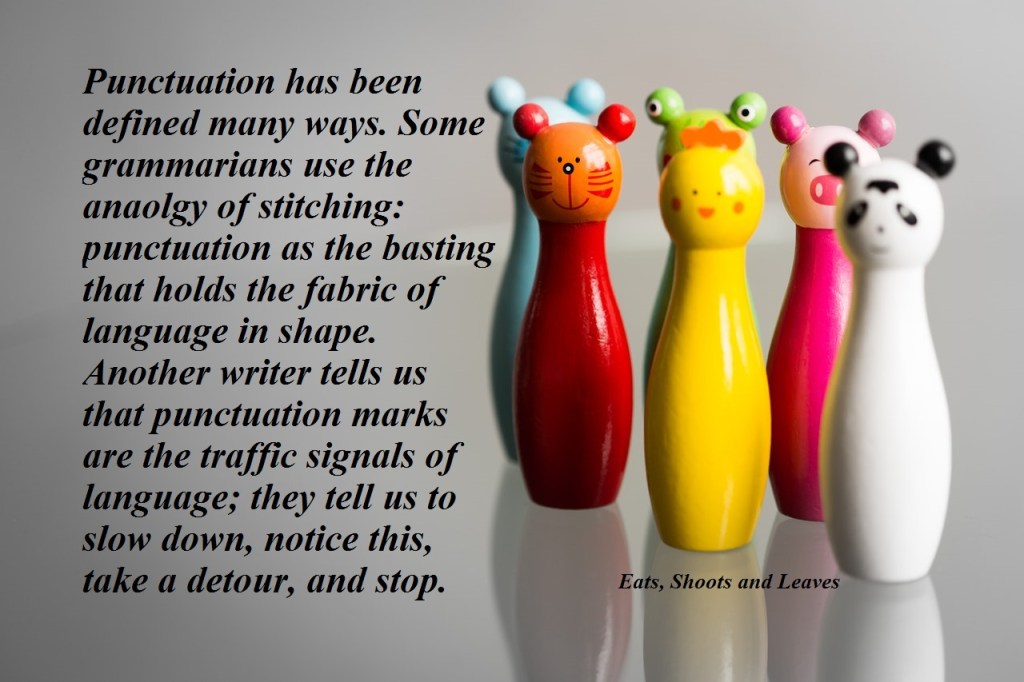
Insights from Bestsellers: Pandas and Punctuation

Does punctuation matter?

The answer can be found in this story about a panda that walked into a cafe, ordered a sandwich, ate it, and fired a gun into the air. Why did the panda do such a thing?

The answer lies in a badly punctuated manual with a definition of “panda”:

“Large black-and-white bear-like mammal, native to China. Eats, shoots and leaves.” – Lynne Truss, Eats, Shoots and Leaves

How important is it to you to learn punctuation rules?

3 Ways to Increase Your Income If You’re Self Employed

One of the biggest challenges of being self-employed is doing everything yourself, from the actual work to accounting to marketing your business. Eventually, the self-employed want to become successful enough to get a steady workflow and make their ideal income.

Some self-employed freelancers or business owners stop there, but others want to reach higher. Their reputation is established, and they are getting so much business that they cannot do all the work themselves. Here is an opportunity to double or triple their yearly income.

Eventually, instead of being a one-person business running every department, they might hire employees. However, some business owners may not want the headache of managing several people to multiply their income. They may want to continue as an independent freelancer.

Hiring employees isn’t the only option for increasing one’s income, although it is the first one that comes to mind. Here are three ways to increase your income if you’re self-employed and the pros and cons of each method.

1 Hire employees

You’ve always wanted to become your own boss. That’s why you started your own company and became self-employed. The next step is to scale up your company by hiring employees.

Pros

Depending on the nature and size of your business, you could step back and hire people with the right expertise to manage the company. You could hire an accountant and human resources person. Or you could continue with a hands-on role in the company.

When you hire employees, you have resources dedicated to getting your work done. You control their time and schedule because they signed a contract to work part-time or full time, at specific hours of the day for you. If they want time off, they must let you know first.

Having a dedicated team allows your business to scale. You can provide the same services you did before or add more services now that you have the cash flow and resources to hire experts to provide those services.

Cons

Once you hire employees, you are expected to provide a specific number of work hours for your employees each month. It becomes more crucial that your lead flow is steady to ensure you continue to operate at a profit.

You’ll have more management details to look after. Whether you manage your business yourself or hire someone, you will deal with work contracts, tracking employee hours and pay, and other details related to human resources and taxes.

2 Subcontract your work

It’s a wonderful milestone in your career when you have so many clients that you can pick and choose which ones to keep by raising your rates or ending contracts. However, you may want to keep all your existing clients and add new ones instead of turning them away.

One way to scale up your business is to work with subcontractors. For example, if you write articles for your clients, subcontract your work to writers who are building their portfolios and writing experience.

Pros

You will be able to take on more clients and work assignments by working with subcontractors. They provide the same service as you so, in a way, you are duplicating yourself. You charge your clients your usual rate, keep a percentage as a management fee, and use the remainder to pay your subcontractors.

If you enjoy management, you will coordinate what assignments need to be done, which subcontractor needs to complete them, and get the assignments to the client on time.

Cons

Most likely, your subcontractors are developing their writing experience or cannot steady clients themselves. Part of your time is spent managing their work, from assigning to checking what they do. If you dislike management, you could hire someone to look after these details.

Another challenge is if the subcontractor’s work isn’t up to standard, you’ll find a lot of your time is spent editing their work. However, when your subcontractor gains more experience over time, they will charge higher rates and want to work directly with their own clients.

3 Collaborate with businesses that offer complementary services

You are highly talented at what you do, but what if your clients need services related to what you do – but are beyond what you offer? For example, you offer writing services and you notice that your clients often want graphic design as well. You could become a jack of all trades. Or you could start an agency or hire employees.

Another option is to collaborate with other freelancers or business owners that offer services that complement yours. Partner up with a graphic designer or website designer so your clients can find the services they need in “one place” instead of looking for them independently. When you refer a client to your collaboration partners, you get a commission based on a percentage or rate that you’ve both agreed upon.

Pros

If you’re very talented but building up your clientele as a freelancer, working with successful collaboration partners will help to get you clients. Their clients already trust them, so they are extending that trust when they refer business to you.

Whether you’re referring or receiving business, this partnership expands the services you can offer to your clients without learning those skills yourself. You also don’t have to deal with learning how to manage a company or employees.

Cons

The relationship relies on a certain degree of trust. When you refer a client to a collaboration partner, the client’s trust in you is on the line. If that partner doesn’t provide the quality of service your client is expecting, your reputation will also be affected.

Another challenge is your partner’s availability. They may not be available at the time that your client needs their service. When that happens, your client may work with another service provider so you won’t be getting a commission.

Accounting is also a consideration. You’ll need to figure out how much commission (or referral fee) to give to your partner for each contract and how to keep track of those amounts.

Key Takeaways

It’s a sign of success to be faced with this decision: turn away clients or keep accepting new ones although you don’t have enough hours in the day to do the work. At this point, you can scale your business by hiring employees or subcontractors. Or, you can rely on your client’s trust in your reputation to recommend them to your collaborator partners. Any of these choices can increase your income and your ability to provide more to your clients.  

If you enjoyed this article, subscribe to make sure you don’t miss the next post!
3 Quick Tips for Checking Your Own Writing

If you do any amount of writing at your job, then this article is for you. Whether you write emails to clients or reports to document projects, it’s important to do a final check before hitting Send or Print. There is nothing more horrifying than spotting a glaring error right after you have sent off an important email or file.

Writers should use these quick tips for checking that their writing looks polished before sharing their work with their audience.

Tip 1: Read your work in a new way

After you have finished your writing task and typed your last period (or signed off with your name), don’t press send yet. Save your work and take a break, even if it’s for a few minutes.

When you return, check over your work with fresh eyes. One of the best ways to do this is to read your writing out loud. It’s a great way to realize if a sentence is awkwardly phrased if you trip over your own words. Or, if you nearly pass out while reading, it’s a hint that you may need more commas or shorter sentences.

Another way to read your writing with fresh eyes is to print out what you’ve written or change the type style or font size. Just changing the appearance of your writing can help you to notice typos or grammar mistakes that you didn’t see before.

Yet another suggestion for checking your work is to run your grammar check or spell check program if you have one. Some writers use the Read Aloud feature if they are using Word. Hearing another voice read your work aloud can help you find errors you might not have noticed if you only review it silently.

Tip 1:

  • Read your writing aloud
  • Print out your writing or change the presentation of your writing
  • Run a spell check or grammar check program

Tip 2: Create a checklist to follow

A great habit is creating your own checklist to refer to whenever you write something that will be shared with an important audience, such as your boss, client, or customers.

Do you often get two words mixed up, such as “cite” and “site”? Do you often forget the rules for using commas, or whether a technical term in your industry should be capitalized or spelt a certain way? If you find yourself making the same mistakes over and over again, create a checklist of common errors or confusing writing points. Then make a habit of going through this checklist before you share your writing assignment with your audience.

Another tip is to keep templates of the types of writing that you do most often. Following the template for an email, report, or presentation saves time and helps you to learn that particular style of writing.

This repetition creates a habit. Eventually, you will internalize this checklist when you keep repeating it to yourself. It’s one of the best ways to learn how to spell a word, learn a grammar rule, or familiarize yourself with how something is written in your industry or company.

Tip 2:

  • Create a checklist
  • Use templates
  • Create a habit

Tip 3: Commit 1 to 5 minutes a day to learning something new

Each day, commit one to five minutes a day minimum to learning a new writing tip: One minute if you don’t do much writing at work. Five minutes or more if you do a lot of writing daily.

These quick tips are easily digestible lessons that will help improve your writing over time. No matter if you’re a novice or pro at writing, this tip still applies.

Refresh your grammar and punctuation rules. Learn how to spell a challenging word correctly. Or improve your plain language or technical writing skills. Even a minute a day, each workday, can add up to a significant amount of time over a year.

Your lessons can come from grammar and writing books, YouTube videos about writing, a dictionary, or writing style guides specific to your company. Many resources are out there for you to learn from.

Tip 3:

  • Commit a specific amount of time to improve your writing daily
  • Use different sources, from print to online

Key Takeaways

Before you hit the send or publish button after finishing a writing task, take a moment to check over your work. You could save yourself the embarrassment of sending an email with a blatant grammar mistake.

If you enjoyed this article, subscribe to make sure you don’t miss the next post!